Website maintenance plans are sold with wildly different definitions of the word “maintenance.” One provider’s plan is a real safety net with a human testing your site every week. Another’s is a script that clicks “update” and emails you a report, with nobody watching when something breaks. Same label, very different value, and the price tag does not always tell you which one you are getting.
So before you compare plans or pay for one, you need to know what actually belongs in a good one. Not the marketing bullet points, the real deliverables: what gets done, how often, who does it, and what happens when something goes wrong at 2am.
This is that breakdown. What a complete maintenance plan includes, what separates a real plan from a cheap one, what is usually not included so you are not surprised later, and the exact questions to ask before you buy. If you want the plain definition of the work itself first, our guide on what website maintenance is covers the fundamentals, and this builds on it toward what you are actually paying for.
What should a website maintenance plan include?
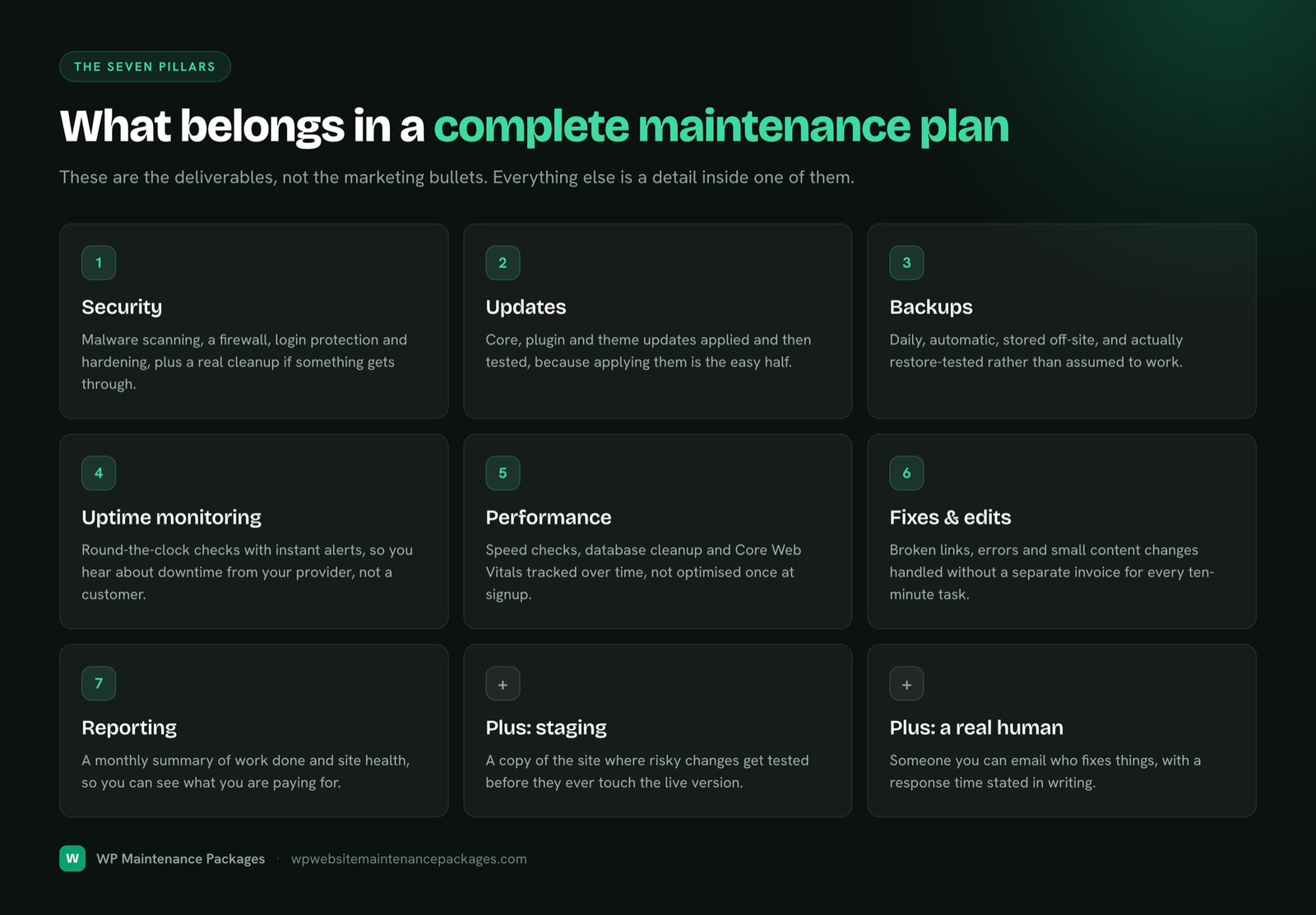
A complete website maintenance plan should include seven things: security protection, software updates, backups, uptime monitoring, performance checks, error and content fixes, and regular reporting. Those are the pillars. Everything else is either a detail inside one of them or an extra on top. If a plan is missing one of the seven entirely, it has a hole, and that hole is usually where the trouble comes from.
Here is what each pillar covers and why it earns its place in the plan.
| What is included | What it covers | Why it matters |
|---|---|---|
| Security | Malware scanning, a firewall, login protection, hardening | Stops the automated attacks that hit every WordPress site, and catches an infection fast |
| Updates | Core, plugin and theme updates, applied and tested | Closes the known vulnerabilities that cause most hacks |
| Backups | Daily, automatic, stored off-site, restore tested | Turns any disaster into a quick restore instead of a rebuild |
| Uptime monitoring | Round-the-clock checks with instant alerts | You hear about downtime from your provider, not from a customer |
| Performance | Speed checks, database cleanup, Core Web Vitals | A slow site loses visitors, conversions and rankings |
| Fixes | Broken links, errors, small content and layout edits | Keeps the site accurate and working without a separate invoice each time |
| Reporting | A monthly summary of work done and site health | You can see what you are paying for instead of taking it on faith |
The non-negotiables
Four of those pillars are the ones a plan cannot skip without failing at the core job. If a plan is light on these, it is not really a maintenance plan, whatever the sales page says.
Security means active protection, not just hope. Real malware scanning, a firewall filtering traffic, login protection against brute-force attacks, and a fast cleanup if something ever gets through. WordPress is the most-attacked platform on the web simply because it is everywhere, so this is the floor, not a luxury.
Updates have to be applied and tested, not just applied. Anyone can enable auto-updates. The value is a human checking the site did not break afterward, because the entire risk of updating is that a plugin update conflicts with something and takes down a page while nobody is looking.
Backups only count if they are daily, automatic, stored somewhere separate from your server, and actually tested by restoring them. A backup sitting on the same server that gets hacked is no backup at all, and an untested backup is just a file you hope works. We cover why this matters in depth on our website backup services page.
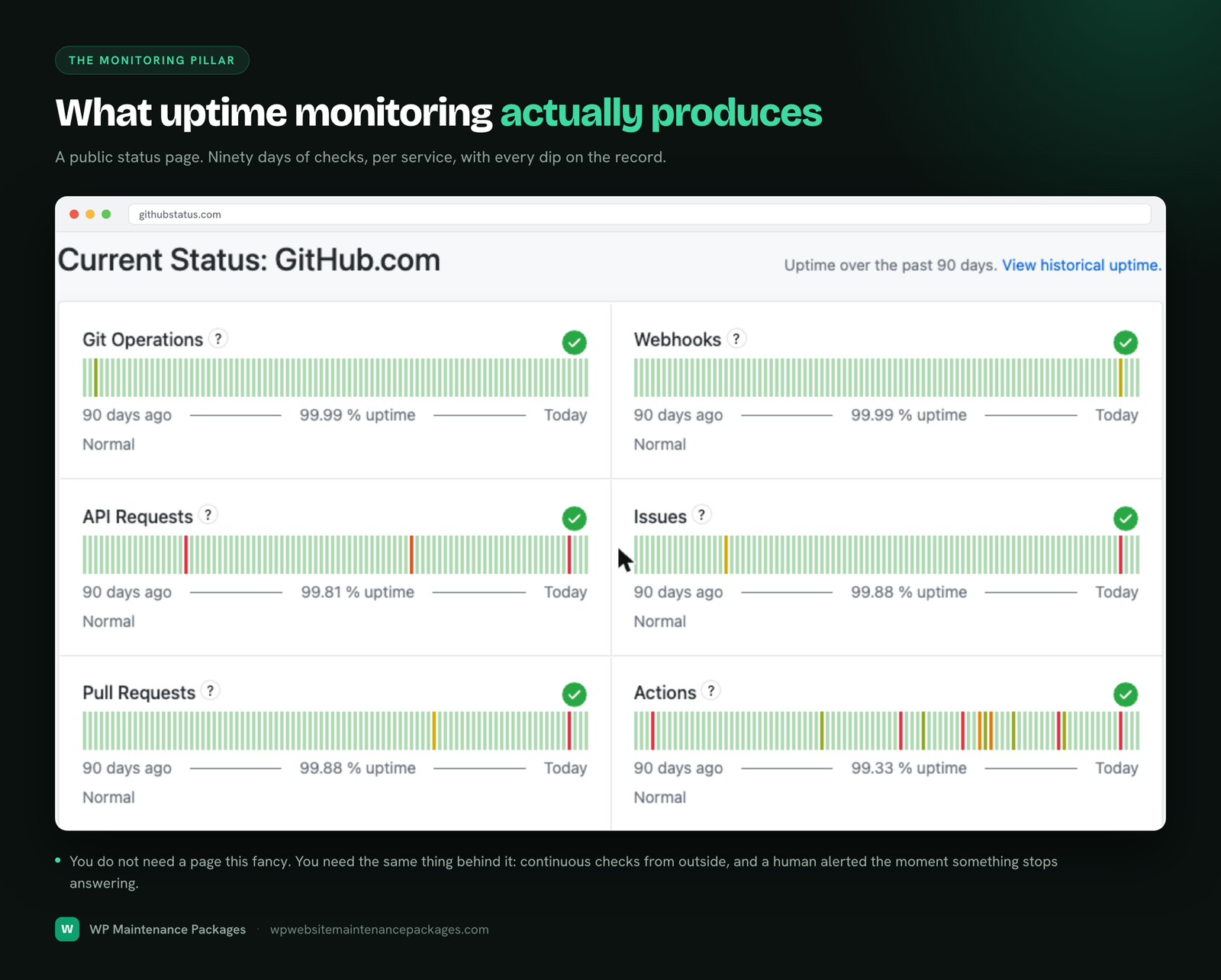
Uptime monitoring is the difference between finding out about downtime in two minutes or two days. Round-the-clock checks with instant alerts mean the problem gets caught and fixed before it costs you a day of traffic and sales.
Warning: If a plan lists “updates” as its headline feature and is vague about backups, monitoring and security, that is a red flag. It is almost certainly an automated-updates service dressed up as full maintenance, and automated updates with nobody watching is how sites quietly go down.
What separates a real plan from a cheap one
Most maintenance plans include some version of the basics. What actually separates them is the layer above, the parts that need a skilled human rather than a script. These are the inclusions worth paying attention to when you compare.
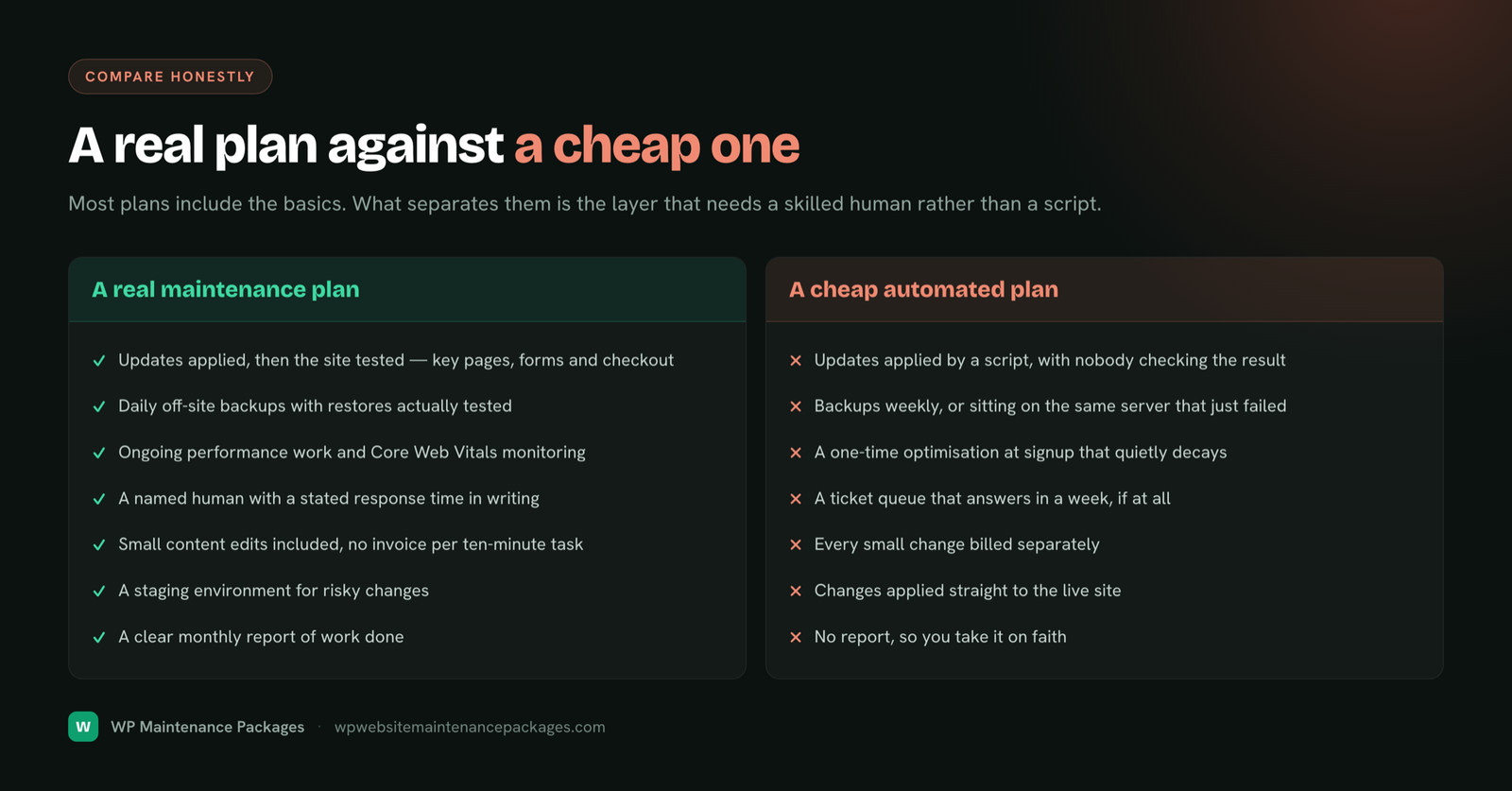
- Testing after every update. Not just applying updates, but checking that key pages, forms and checkout still work afterward. This is the single most valuable thing a human adds.
- Performance work. Regular speed checks, database cleanup and Core Web Vitals monitoring, not a one-time optimization at signup that slowly decays.
- Real human support. Someone you can email who fixes things, with a stated response time, rather than a ticket queue that answers in a week.
- Small content edits included. Swapping a phone number, updating a price, fixing a typo, without a separate invoice for every ten-minute task.
- A staging environment for risky changes. So major updates and edits get tested on a copy before they ever touch your live site.
- Clear monthly reporting. A summary of what was done and how the site is performing, so you know exactly what your money bought.
None of these show up in a purely automated service, because they all require judgement. They are also the parts that prevent the expensive problems, which is why the cheapest plan is rarely the cheapest choice once something breaks.
What is usually not included
Being clear about what a maintenance plan does not cover is just as important, because it saves you an awkward conversation later. Maintenance keeps your existing site healthy. It is not a budget for growing or rebuilding it. Typically outside a standard plan:
- Major design overhauls or redesigns. Reskinning the site or rebuilding pages is project work, not maintenance.
- New features and functionality. Adding a booking system, a members area or a new integration is development, quoted separately.
- SEO and marketing campaigns. Maintenance keeps the technical foundation sound, which supports SEO, but it is not a link-building or content campaign.
- Large content creation. Small edits are usually included; writing ten new pages is a content project.
- Hosting itself. Good providers manage and optimise WordPress on your own hosting account rather than reselling you hosting. The two are related but separate, as we explain on our hosting and maintenance page.
A good provider will happily do most of these as add-ons or separate projects. The point is that they sit outside the recurring maintenance fee, and a plan that promises unlimited everything for a tiny monthly price is either misleading or about to disappoint you.
The WordPress-specific inclusions
If your site runs on WordPress, a few inclusions matter more than they would on a generic site. Plugin and theme management is the big one, since most WordPress vulnerabilities live in plugins and themes, so a good plan actively manages them, updates them carefully, removes unused ones, and replaces abandoned ones rather than letting them pile up.
For stores, testing matters even more. A WooCommerce plan should include checkout and payment testing after every update, because a broken checkout is lost revenue the moment it happens. And behind the scenes, a real plan handles PHP version upgrades on staging, one of the most-forgotten maintenance tasks that quietly affects both security and speed. Our WordPress care plans are built specifically around these WordPress realities rather than a one-size-fits-all template.
How to read a maintenance plan before you buy
Marketing pages all sound similar, so the way to tell plans apart is to ask specific questions. The answers reveal whether you are buying real protection or a checkbox. Ask these before you sign anything.
- How often are backups taken, and are they stored off-site? Daily and off-site is the answer you want. Weekly, or on-server, is a weak spot.
- Do you test the site after updates, or just apply them? Testing is the whole value. If the answer is vague, it is probably automated.
- What is your response time if my site goes down? A real number, in hours, tells you they are actually monitoring.
- Who does the work, and are they WordPress specialists? You want to know a knowledgeable human is behind the plan.
- Is there a contract, and can I leave anytime? Confidence in the service usually looks like no lock-in.
- Will I get a report of what was done? Transparency separates providers who do the work from those who bank the fee.
Expert tip: The response-time question is the most revealing one. A provider who genuinely monitors your site can tell you what happens when it goes down, in hours, without hesitating. Vagueness there usually means nobody is really watching.
How much should a plan with all this cost?
A plan that genuinely includes everything above generally runs from around sixty dollars a month for a simple site up to a few hundred for a store or a busy site that needs more hands-on attention. Much cheaper than that, and something on the list is being cut, usually the human testing and support. We break the numbers down fully in our guide to website maintenance cost, and you can see exactly what each tier includes on our maintenance plans page.
The useful way to think about price is against the cost of the thing going wrong. A month of maintenance is a rounding error next to a malware cleanup, a lost week of downtime, or rebuilding a site with no backup. You are not paying for the good months. You are paying for the bad one that does not happen.
The bottom line
A real website maintenance plan includes security, updates, off-site backups, uptime monitoring, performance work, fixes and reporting, delivered by a human who tests the site rather than a script that hopes for the best. Cheap plans tend to include the automatable parts and quietly skip the parts that need judgement, which are exactly the parts that prevent expensive problems.
So when you compare plans, do not compare prices first. Compare what is actually included, ask the specific questions above, and pick the plan that covers all seven pillars from a provider who will tell you plainly how they work. If you want a plan built around real WordPress protection with no lock-in, our maintenance packages and US-based team cover the full list.
Frequently asked questions
What does website maintenance include?
It includes security monitoring and malware protection, core, plugin and theme updates, daily off-site backups, uptime monitoring, performance and speed checks, fixes for broken links and errors, small content edits, and regular reporting. Those seven areas are the core of any complete plan. Anything missing from that list is a gap worth asking about before you buy.
What is the difference between a cheap and a good maintenance plan?
Cheap plans usually automate the easy parts, mainly updates, and skip the parts that need a human, like testing after updates, real support and performance work. Good plans include that human layer, which is what actually prevents problems. The price gap almost always maps to whether a knowledgeable person is watching your site or just a script.
Does a maintenance plan include hosting?
Usually not, and that is the honest setup. Good providers manage and optimise WordPress on your own hosting account rather than reselling you hosting, so you keep control of it. Hosting keeps the server running; maintenance keeps your WordPress install secure, updated and healthy. They are related but separate services.
Are content changes included in website maintenance?
Small edits usually are, things like updating a price, swapping an image, or fixing a typo. Larger work, like writing new pages, building new features, or redesigning the site, typically falls outside the recurring fee and is quoted as a separate project. A good provider makes clear where that line sits so there are no surprises.
How often should maintenance tasks actually be done?
Backups and monitoring run daily, updates and scans weekly, deeper cleanups and audits monthly and quarterly. A plan should specify this cadence rather than leaving it vague. If a provider cannot tell you how often they back up and update your site, that is a sign the work is not happening on a real schedule.
Do I need a maintenance plan if my site rarely changes?
Yes, arguably more than a busy site does. A site nobody logs into for weeks is exactly where a broken form or a quiet breach goes unnoticed longest. The updates, backups and monitoring in a plan run in the background regardless of whether you touch the content, which is precisely what a rarely-updated site needs.
Should a maintenance plan lock me into a contract?
It does not need to, and the better providers do not require it. A month-to-month plan with no lock-in signals a provider who keeps clients through good work rather than through a contract. If a plan demands a long commitment up front, ask why the service cannot stand on its own results.
What questions should I ask before buying a maintenance plan?
Ask how often backups run and whether they are off-site, whether the site is tested after updates, what the response time is if it goes down, who does the work, whether there is a contract, and whether you get a report. The specifics in those answers tell you far more than the marketing copy does. Vague answers usually mean an automated service.